E-Name Cards at Events: An Exhibitor's Guide to Sharing Details and Capturing Leads
| Events & Trade Shows | By eDigital Name Cards Editorial Team
A practical guide to using NFC and QR e-name cards at conferences and trade shows: how they work, what to buy, mistakes to avoid and how to follow up.
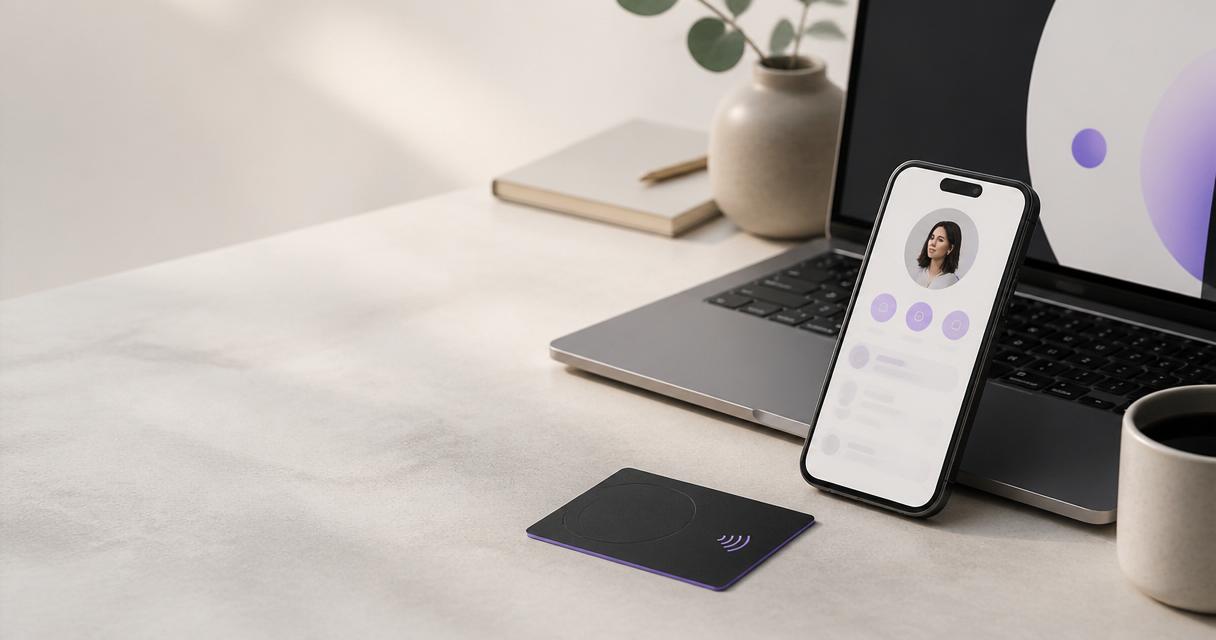
An e-name card is a digital contact profile that you share by tapping an NFC card on a phone or by letting someone scan a QR code. At an event, it replaces the paper card. Your details open in the other person's browser and can be saved straight to their contacts. You can also collect their details in return, so you can follow up after the show.
This guide is for exhibitors, organisers, speakers and delegates who want a simpler way to swap details at conferences and trade shows. It explains how e-name cards work, compares the main options and gives a buying checklist. It also covers the mistakes that cost exhibitors leads.
What is an e-name card?
An e-name card (also called an electronic or digital name card) is an online profile that holds the same information as a printed card, and usually more. A typical profile includes your name, job title, company, phone number, email address, website and social links. Many profiles also add a portfolio, a booking link or a short contact form.
There are two common ways to share the profile in person:
- NFC tap — a small chip inside a physical card sends a web link when it is held near the back of a compatible phone.
- QR code — a printed or on-screen code opens the same link when scanned with the phone's camera.
Because the profile lives online, you can change it at any time without reprinting anything. The card in your pocket always points to your latest details.
Why events are different
A normal working day might involve one or two introductions. A trade show can involve dozens in a few hours, often in a noisy hall, with people moving quickly between stands. That puts pressure on the way details are swapped:
- Speed matters. Visitors rarely wait while you search for a card or spell out an email address.
- Paper runs out. Exhibitors either over-order and throw cards away, or run short on the busiest day.
- Details get lost. A pile of collected cards has to be typed up by hand after the event, and some never are.
- Follow-up is slow. By the time contacts reach the sales team, interest has often cooled.
E-name cards are built to fix each of these, which is why they suit event use so well.
How e-name cards work at a stand
The process is the same whether you are an exhibitor, a speaker or a delegate:
- You create your profile with your contact details, links and branding.
- Your card is linked to that profile. With eDigital Name Cards, each card carries both an NFC chip and a QR code, so it works whichever way the other person prefers.
- A visitor taps or scans. Your profile opens in their phone's browser. No app is needed on either side.
- They save your details with one tap, and can contact you straight away.
- You capture their details. If your profile includes a lead-capture form, the visitor can leave their name, email and interest, which is stored against your account.
- You follow up. After the event, you have a list of people who actually engaged, rather than a stack of paper to type up.
Comparing the options
Option | How it is shared | Can it be updated? | Captures visitor details? | Best for
Paper name card | Handed over | No — reprint needed | No | Very low-volume networking
QR code only (printed or on screen) | Camera scan | Yes, if the code is dynamic | Only if the linked page has a form | Badges, banners and slides
NFC card with QR code | Tap or scan | Yes | Yes, with a lead-capture form | Exhibitors, speakers and event teams
Badge-scanning app from the organiser | Organiser's app | Not applicable | Yes, within the organiser's system | Events that provide it
For most exhibitors the practical choice is an NFC card with a QR code on it. The tap is quickest for visitors whose phones support NFC, and the QR code covers everyone else.
Using e-name cards as an exhibitor
The stand is where e-name cards earn their keep. A few practical ideas:
- Give every staff member their own card, so leads are credited to the right person.
- Put the QR code where people queue, for example on a counter sign or the back of a demo screen.
- Point your profile at a short, event-specific page. Include the products you are showing, a brochure link and a simple enquiry form.
- Update your profile before the doors open. Add the stand number, show offers or a booking link for meetings, then change it back after the event.
- Review captured leads each evening, so urgent enquiries are answered while the event is still running.
Using e-name cards as a speaker or delegate
Speakers can show a QR code on their final slide so the audience can save their details and find their talk materials. Delegates can use a card to swap details quickly at networking sessions and add a note to remember each conversation by.
Following up after the event
The value of an event is decided in the days after it ends. A good e-name card set-up helps by:
- keeping every captured contact in one place instead of on scraps of paper;
- letting you see who engaged, so the warmest leads are contacted first;
- giving each visitor your details in their phone, so your follow-up email is recognised.
eDigital Name Cards plans include a dashboard with contact capture, a built-in CRM and analytics. That lets you manage these follow-ups without exporting anything to a separate tool first. Check which features come with each plan on the digital name card page.
Buying checklist
Before you order cards for an event, cheque the following:
- NFC and QR on the same card, so every visitor can use it.
- No app required for the person receiving your details.
- Unlimited profile edits, so you can update the page for each event.
- Lead capture, so visitors can leave their details as well as take yours.
- A dashboard for your team, if more than one person will staff the stand.
- A material that suits your brand. eDigital Name Cards offers PVC, metal and wood cards.
- Time to arrive. Order well ahead of the show date, and allow time to set up profiles before you travel.
Preparing for your event: a simple timeline
A few weeks before. Decide who will staff the stand and order a card for each person. Agree what every profile should include, such as company details, the products you will show and a clear call to action. The week before. Set up and cheque each profile. Add your stand number and any event-specific links. Test every card with at least one iPhone and one Android phone, using both the tap and the QR code. On the day. Keep cards in an easy-to-reach pocket or lanyard. When a conversation goes well, invite the visitor to tap or scan before they walk away, and ask them to fill in the contact form if they want a follow-up. After the event. Go through the contacts you captured, sort them by interest and send follow-ups while the conversation is still fresh. Then update your profiles, removing event-only details so they are ready for the next show.Mistakes to avoid
- Ordering cards the week of the show. Leave time for delivery and profile set-up.
- Linking the card to your home page. Visitors want your contact details and a clear next step, not a full website.
- Forgetting the QR code. Not every phone reads NFC from the same spot, so a visible code avoids awkward fumbling.
- Not testing on several phones. Try both an iPhone and an Android handset before the event.
- Collecting leads and never following up. Book time in your diary for the days after the show.
- Sharing one card across the whole stand. Separate cards make it clear who spoke to whom.
Frequently Asked Questions
Do visitors need to download an app?
No. The profile opens in the phone's normal web browser after a tap or a scan, so there is nothing to install.
What if a visitor's phone does not support NFC?
They can scan the QR code printed on the card with their phone camera instead. It opens the same profile.
Can I change my details between events?
Yes. You can edit your profile whenever you like, and the same card will show the new information.
Can I collect visitors' details as well as share mine?
Yes, if you add a lead-capture form to your profile. Visitors can leave their details, which are stored in your dashboard for follow-up.
Are e-name cards suitable for a whole event team?
Yes. Each team member can have their own card and profile with consistent branding, managed from one account.
Which card should I start with?
Most exhibitors start with an NFC name card in PVC. Choose a metal NFC card or a wooden NFC card if you want a more premium or natural finish.
Related guides
- Trade show follow-up: what to do in the 48 hours after an event
- Badge scanners vs e-name cards for exhibitor lead capture
- A conference networking checklist for delegates and speakers
Next steps
Pick a card for your next event on the NFC name cards page, or set up a profile first with a digital name card. If you only need a profile and a QR code, you can start with a free digital name card.