Google Review NFC Card for Local Businesses
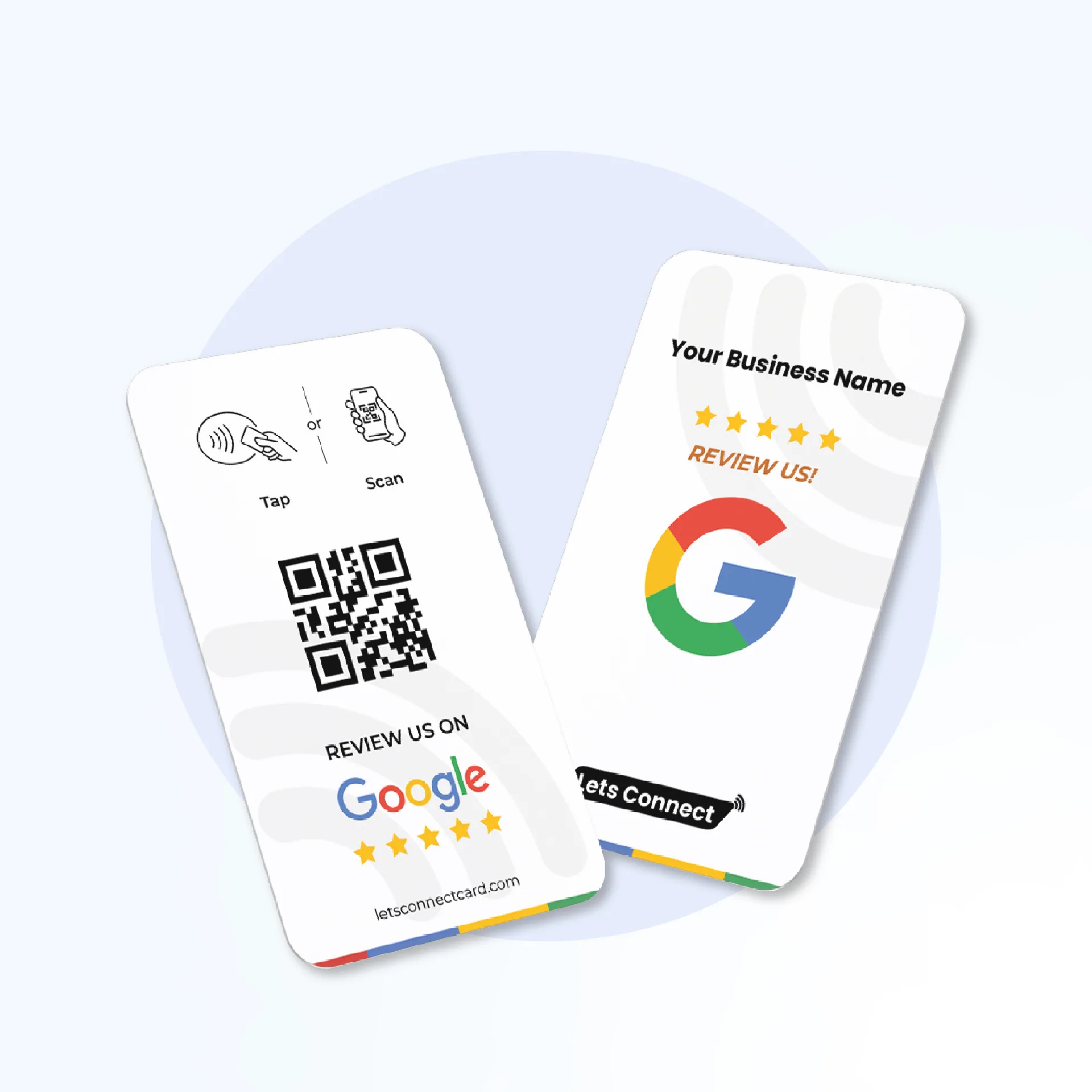
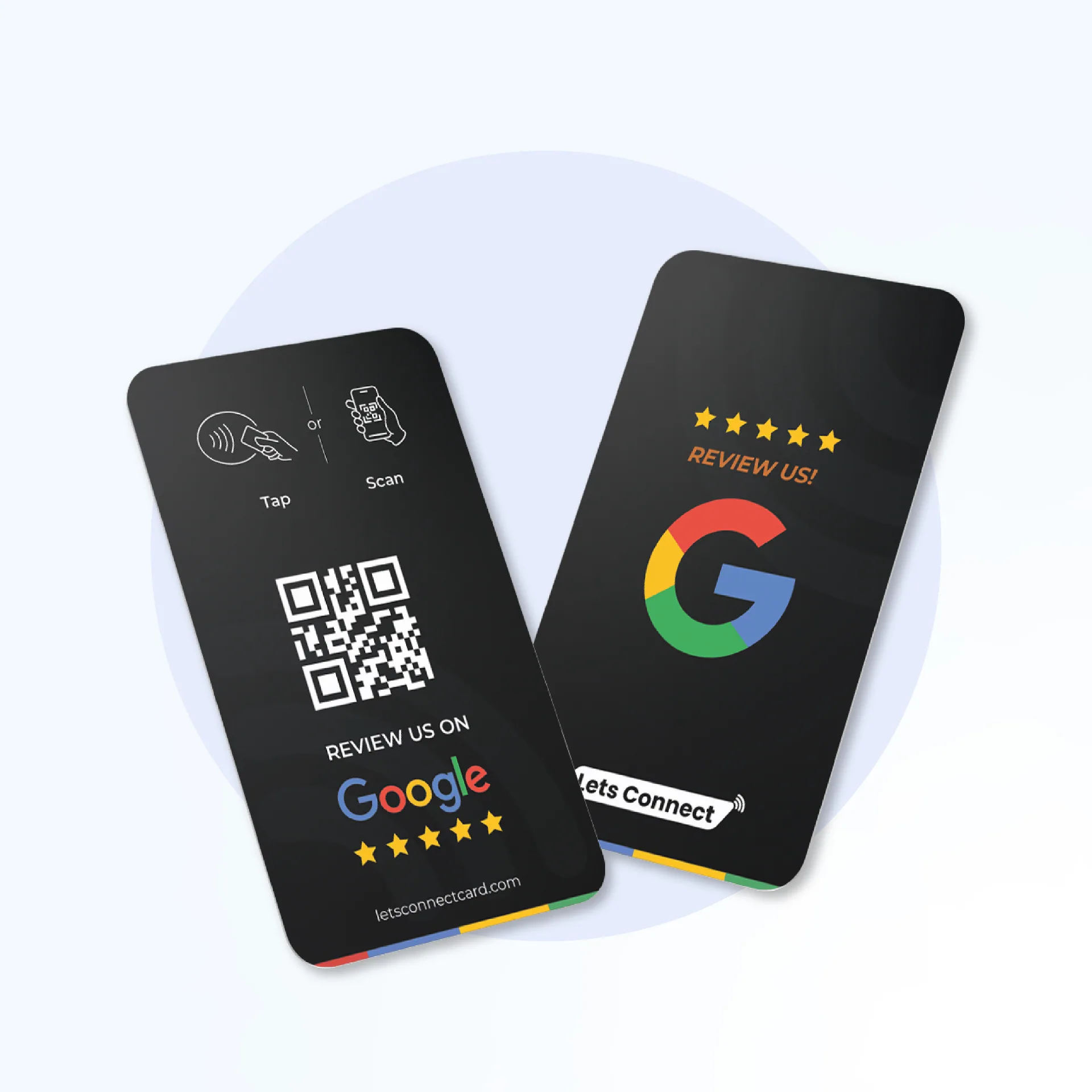
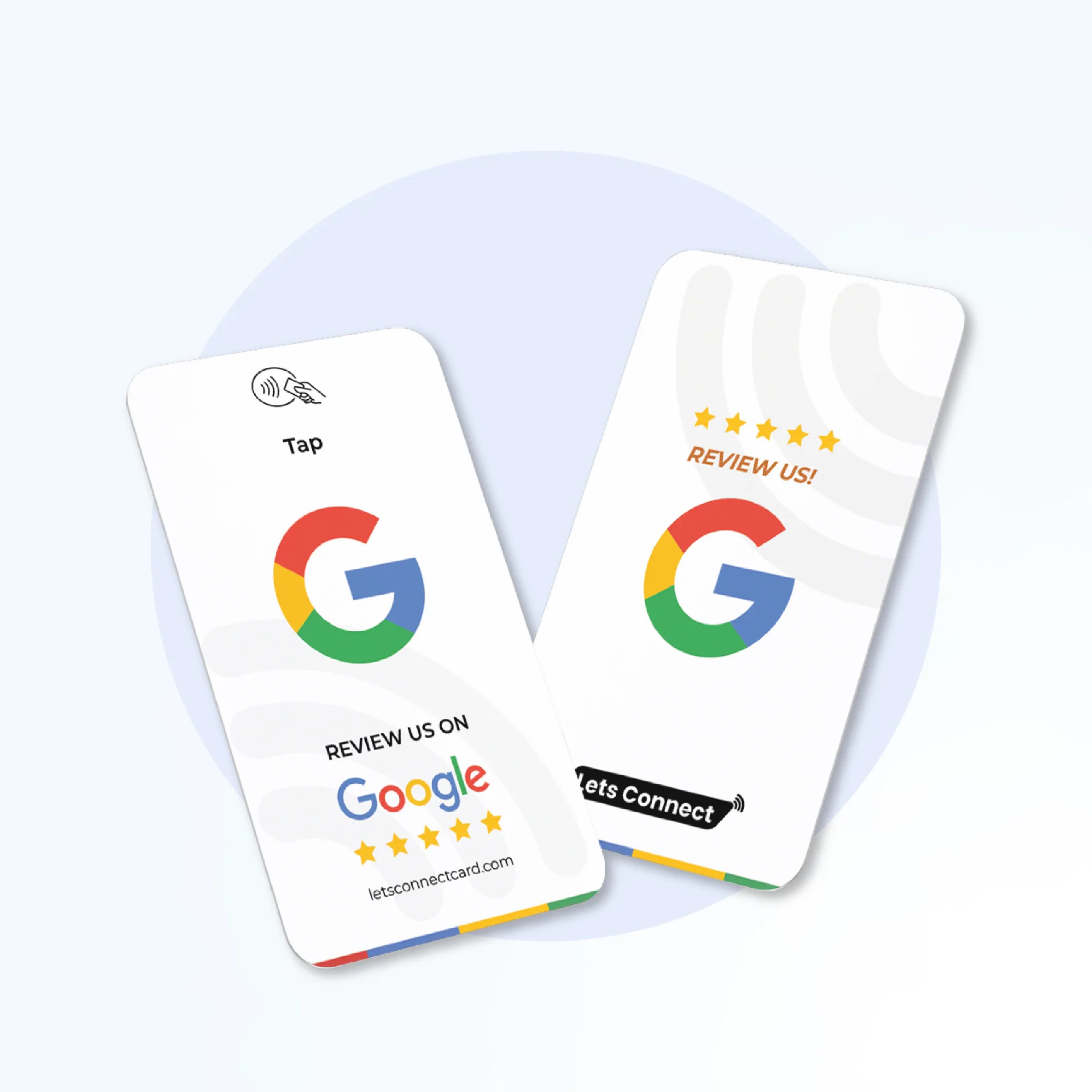
Open your Google review form with a tap or QR scan, so customers can leave a review in a few seconds.
This eDigital NFC and QR product links to your Google review page and is made for venues, organisers and local businesses. At venues, events and service counters, people tap it with a modern iPhone or Android phone, or scan the printed QR code, and the page opens instantly in their browser.
How it is used at events
- After an event — Organisers and venues ask attendees for a Google review while they are still on site.
- Front desk and tills — Customers tap to open your Google review form.
- Field staff — Engineers or trainers request a review at the end of a job.
Further reading
Key Features
- NFC + QR Code — Dual technology for universal compatibility
- Warranty — physical cards are covered against manufacturing defects as set out in our Terms
- No App Required — Works directly in the browser
- Update Anytime — Change your linked URL without reprinting
- No delivery charge at checkout — tracking emailed when the carrier provides it
How It Works
- Order your NFC Google Review Cards — Tap & QR Code Rating Card from eDigital Business Cards
- We program the NFC chip with your profile URL
- Hand the card to someone — they tap or scan
- Your profile opens instantly in their browser
Specifications
- Material: Premium PVC
- Dimensions: 85.6 × 54 mm (standard business card)
- NFC Chip: NTAG215
- Thickness: 0.76 mm
- Warranty: manufacturing defects, as set out in our Terms
- Compatibility: All NFC-enabled smartphones
27 Features in Your Dashboard
Every feature below is a section of your dashboard. Tools marked Business Add-ons need that plan.
Analytics is on every paid plan. CRM, lead capture, bookings, inquiries, the card scanner, reviews, subscribers, forms and data export come with the Business Add-ons plan.
Data & CRM
- Analytics Dashboard — Track profile views, link clicks, contact saves & engagement in real time.
- Bookings Manager — Set available days, hours, slot duration. Visitors book meetings from your card. Business Add-ons
- Contact Capture — Visitors can leave their details when they open your profile. Business Add-ons
- Enquiries — An inquiry form collects visitor messages, emails & phone numbers. Business Add-ons
- Newsletter — Grow your mailing list with a signup on your card. Business Add-ons
- Custom Forms — Drag & drop form builder with text, email, phone, dropdown fields. Business Add-ons
- Export All Data — Download leads, bookings, subscribers & form submissions as CSV. Business Add-ons
- CRM — Manage contacts, track deals and follow up on leads. Business Add-ons
- Business Card Scanner — Scan paper cards and save them as contacts. Business Add-ons
- Get Reviews — Collect and showcase Google reviews directly from your card profile. Business Add-ons
- Location Tracker — See where your card gets tapped.
Profile & Content
- Digital Profile — Complete bio with role title, company, cover photo, profile image & more.
- Social Links Hub — Connect LinkedIn, Instagram, TikTok, WhatsApp & 20+ platforms.
- Documents — Attach PDFs, brochures, price lists & case studies (up to 100 MB per file).
- Blog — Publish long-form articles directly on your profile with SEO-friendly slugs.
- Products — List services or products with images, pricing & one-tap purchase links.
- Gallery — A high-resolution portfolio with lightbox viewing — perfect for creatives.
- Testimonials — Client quotes with roles, photos & star ratings living on your card.
- Multi Profile — Run multiple identities from one login — day job, side hustle & more.
- Templates — Industry-tuned layouts — switch your entire look in a single click.
Settings & Control
- Visibility Control — Toggle any section on/off and drag to reorder your card layout.
- Display Modes — Switch between detailed contact info or icon-only mode.
- Contact Capture Gate — Require visitors to enter details before accessing your contact info. Business Add-ons
- Location Map — Show your business location with an embedded interactive map.
- Install as App (PWA) — Visitors add your card to their home screen like a native app.
- Add to Wallet — Save to Apple Wallet or Google Wallet with a live QR that updates instantly.
- Custom URL Redirector — Re-target any card without reprinting — change destination any time.
Plans & pricing
Every physical NFC card includes a permanent digital profile. Upgrade one-time — no monthly subscription required.
- Free Digital Profile — $0
- Permanent digital profile with QR code, contact save and social links. Works on any smartphone, no app needed.
- Brand Presence — $79 one-time
- Details, Social Links, Documents, Blog, Products, Testimonials, Gallery, Templates, Password Protection, Visibility & Order, Contact Display, Analytics.
- Business Add-ons — $129 one-time
- Everything in Brand Presence plus CRM, Card Scanner, Get Reviews, Bookings, Enquiries, Contact Leads, Subscribers, Forms, Export.
Compare NFC Google Review Cards — Tap & QR Code Rating Card with Blinq, HiHello, Popl & Linq
How eDigital Business Cards compares with four app-based digital business card services: Blinq, HiHello, Popl and Linq. Tools marked Business Add-ons need that plan.
| Feature | eDigital Business Cards | Blinq | HiHello | Popl | Linq |
|---|---|---|---|---|---|
| NFC | ✓ | ✓ | ✓ (Professional plan) | ✓ | ✓ |
| Brand Page | ✓ | ✓ | ✓ | ✓ | ✓ |
| Analytics | ✓ | ✓ | ✓ | ✓ | ✓ |
| Lead Capture | ✓ (Business Add-ons) | ✓ (Business plan and above) | ✓ (Business plan and above) | ✓ | ✓ |
| Custom Forms | ✓ (Business Add-ons) | ✓ (Business plan and above) | ✓ (Business plan and above) | ✓ (Pro+ and Teams) | Not checked |
| Booking | ✓ (Business Add-ons) | ✓ (Business plan and above) | Not checked | ✓ (Teams) | Not checked |
| CRM Sync | ✓ (built-in, Business Add-ons) | ✓ (HubSpot, Salesforce and more) | ✓ (Business plan and above) | ✓ | ✓ (Salesforce, HubSpot, Zapier) |
| Contact management | ✓ (Sales CRM, Business Add-ons) | ✓ | ✓ | ✓ | ✓ |
| Business Card Scanner | ✓ (Business Add-ons) | ✓ (Premium plan and above) | ✓ (monthly scan limit) | ✓ | ✓ |
| Paid plan billing | One-off payment | Monthly or annual (free plan available) | Monthly or annual (free plan available) | Subscription (free plan available) | Paid subscription |
Competitor columns were checked on each provider’s own website and help pages on 30 October 2026. “Not checked” means we found no public source either way. Features and plans change, so check their current sites.
NFC Business Cards | Digital Business Cards | Contact Us
Ordering the NFC Google Review Cards — Tap & QR Code Rating Card in United States
Prices are shown in USD ($). Delivery across the United States, with no delivery charge added at checkout. Every business card ships with an NFC chip and a printed QR code, so it works on every modern iPhone and Android without any app.
Questions specific to the NFC Google Review Cards — Tap & QR Code Rating Card
- Where do I find the Google review URL I need at checkout?
- Sign into your Google Business Profile, tap "Get more reviews" and copy the short review link Google provides. Paste it at eDigital Business Cards checkout and our team will program it into your card before dispatch.
- Do customers need a Google account to leave a review?
- Yes — Google requires a signed-in Google account to publish reviews. Customers who are already signed in to Google on their phone need no extra login step.
- Can one Google review card cover multiple business locations?
- Each card links to a single Google Business Profile. Multi-site brands usually order one card per location — bulk pricing, per-branch programming and location codes are available on request.
- How quickly do submitted reviews appear on Google?
- Google decides when a review appears. It sometimes holds new reviews for its own automated checks.
- Can I change the review link later?
- With the optional Editable URL + Live Dashboard & Analytics add-on (billed yearly) you change the link yourself from your dashboard. Without it, send our support team the new link and the card is reprogrammed free of charge, or rewrite the NFC chip with a free NFC-writing app. If your card has a printed QR code, mention it so we can confirm where that code points.
- Does it guarantee reviews?
- No. It makes leaving a review quicker, but customers still choose whether to write one.
- Who is it best for?
- Venues and local businesses that rely on their Google Business Profile.
Compare NFC Google Review Cards — Tap & QR Code Rating Card with Blinq, HiHello, Popl & Linq
How eDigital Business Cards compares with four app-based digital business card services: Blinq, HiHello, Popl and Linq. Tools marked Business Add-ons need that plan.
| Feature | eDigital Business Cards | Blinq | HiHello | Popl | Linq |
|---|---|---|---|---|---|
| NFC | ✓ | ✓ | ✓ (Professional plan) | ✓ | ✓ |
| Brand Page | ✓ | ✓ | ✓ | ✓ | ✓ |
| Analytics | ✓ | ✓ | ✓ | ✓ | ✓ |
| Lead Capture | ✓ (Business Add-ons) | ✓ (Business plan and above) | ✓ (Business plan and above) | ✓ | ✓ |
| Custom Forms | ✓ (Business Add-ons) | ✓ (Business plan and above) | ✓ (Business plan and above) | ✓ (Pro+ and Teams) | Not checked |
| Booking | ✓ (Business Add-ons) | ✓ (Business plan and above) | Not checked | ✓ (Teams) | Not checked |
| CRM Sync | ✓ (built-in, Business Add-ons) | ✓ (HubSpot, Salesforce and more) | ✓ (Business plan and above) | ✓ | ✓ (Salesforce, HubSpot, Zapier) |
| Contact management | ✓ (Sales CRM, Business Add-ons) | ✓ | ✓ | ✓ | ✓ |
| Business Card Scanner | ✓ (Business Add-ons) | ✓ (Premium plan and above) | ✓ (monthly scan limit) | ✓ | ✓ |
| Paid plan billing | One-off payment | Monthly or annual (free plan available) | Monthly or annual (free plan available) | Subscription (free plan available) | Paid subscription |
Competitor columns were checked on each provider’s own website and help pages on 30 October 2026. “Not checked” means we found no public source either way. Features and plans change, so check their current sites.